
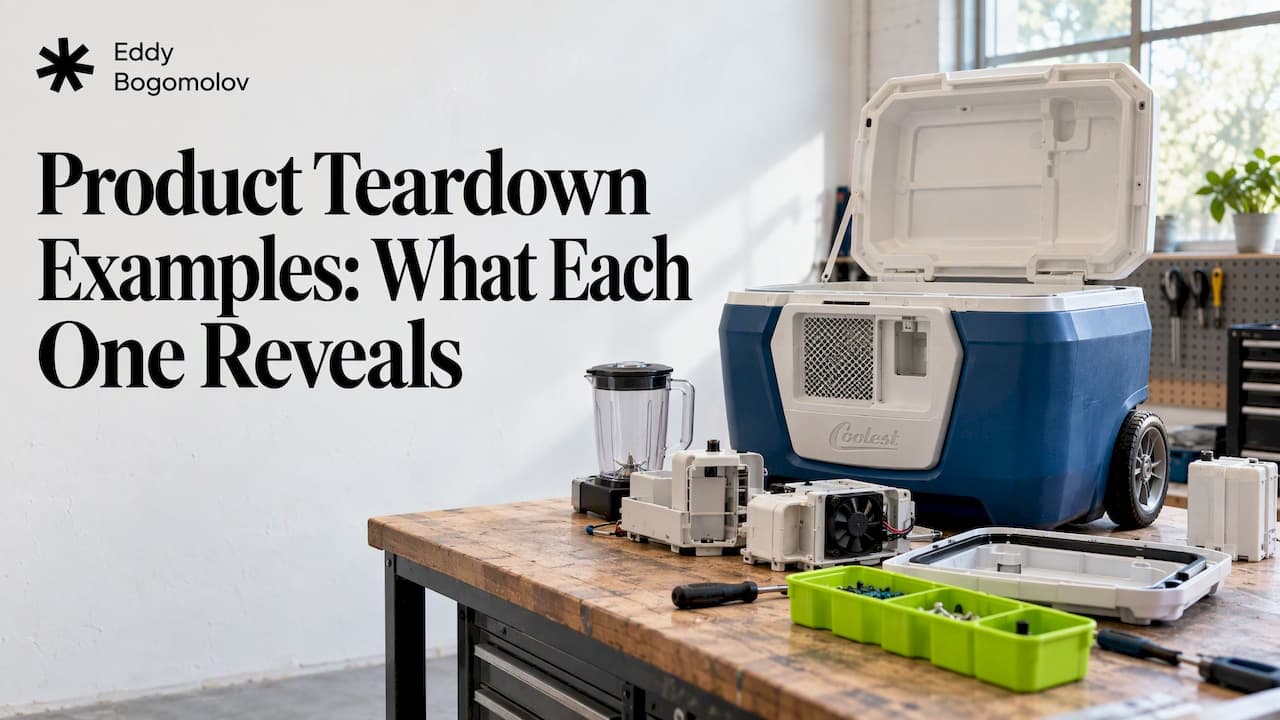
A product teardown takes a product apart to see how it works and why it was built that way. The best examples don't just describe a product. They point to one specific decision and say what it cost. Below are teardown examples worth studying, from a hardware cooler to SaaS sign-up flows. After them you get a framework and a checklist for running your own.
TL;DR
- A teardown is a systematic look at a product's design, features and user experience, used to learn why choices were made and to benchmark your own product.
- Good examples isolate one decision (a signup field, a setup step, a cluttered bill of materials) and tie it to an outcome.
- For a SaaS free trial, walk it as a buyer: time every step, screenshot every screen, and stop at the first real result.
- Rank findings by their likely effect on the one metric you want to move, not by how annoying they feel.
Table of Contents
- What a product teardown is, and what you can learn from one
- Product teardown examples worth studying
- A product teardown framework that works
- How to run a SaaS onboarding teardown
- What to inspect at each stage
- Turning findings into priorities
- Our perspective
- When to bring in an outside pair of eyes
- FAQ
- Sources
What a product teardown is, and what you can learn from one
The term comes from hardware: you open the device and study what is inside. In software, the same idea applies to flows and screens. LogRocket describes a teardown as a systematic dissection of a product's design, features and user experience, used to understand how it functions, why it was built that way, and how your own strategy compares with competitors or adjacent products.
Three things make a teardown worth the time:
- It forces honesty. One practitioner write-up on using teardowns to improve your own product argues that a teardown makes teams face broken user journeys in their live product that could go unexamined for months or years.
- It is specific. "The onboarding is confusing" is an opinion. "The first result sits behind four setup screens" is a finding.
- It travels. A teardown of someone else's product teaches you about yours, because the same few mistakes repeat across categories.
A teardown is not a competitive analysis (which compares feature lists and pricing) and not a full UX audit (which grades a product against heuristics). It sits between them: one product, one path, one question.
Product teardown examples worth studying
Here are examples across hardware and software, with the lesson each one carries.
The Coolest Cooler: too many features to build
Forbes' teardown of the Coolest Cooler found that the product's long feature list created excessive sub-assemblies, design complexity and a lot of hand assembly. That helps explain why production could not readily meet demand from more than 62,000 waiting customers.
What it reveals: every feature has a cost somewhere else in the system. The same is true of a trial. Each added setup step, integration prompt or tooltip is a feature the new user has to pay for with time.

Canva and Linear: a real task in seconds
An analysis of 100 SaaS onboarding flows by UserTourKit notes that top products tend to get users doing a real task immediately. Its examples: Canva dropping people into a template in under 10 seconds, and Linear opening straight to an issue board.
What it reveals: the first screen after sign-up is where the product shows whether it respects the reason the person came. Both examples put the user inside the product's core activity, not in front of a form.
Slack: setup that is the value
A reverse-engineering of onboarding programs at several SaaS companies describes Slack's approach: naming the workspace and inviting teammates happen during sign-up, which tackles the core collaboration problem before the first lifecycle message is sent.
What it reveals: not all setup is friction. Setup that is the product's value (a chat tool is useless alone) belongs early. Setup that merely feeds your database does not.
Monday.com: more runway for stalled users
The same write-up describes Monday.com's "infinite trial reset" in 2026: 7-day trials extended again and again for stalled users, giving them more time to reach what it calls a "value click."
What it reveals: a fixed trial length is a guess about how long value takes. When the first result takes longer than the trial, the clock, not the product, ends the evaluation. We covered that failure mode in why a 3-day trial backfires when results take 90 days.
Airtable: one field at sign-up
A July 2026 onboarding teardown noted that Airtable's signup screen asked only for a work email, with no plan choice and no card.
What it reveals: the cheapest conversion gain is often a field you remove. Ask for the minimum needed to create the account and collect the rest after the user has something to protect.
Intruder: shrinking time to first result
A personal onboarding case write-up reports that in Q1 2026 Intruder cut time to first results from about 71 minutes for a standard scan to about five minutes for cloud checks once a cloud account was connected.
What it reveals: when a product cannot make the full result instant, it can still offer a faster, smaller first result. That is the heart of time to value, which we break down in how to measure and cut time to value in SaaS.
A lead-with-value experiment
A 2026 write-up on building onboarding flows with AI describes an experiment where a "Lead with Value" flow lifted Day 1 retention from 12.18% to 18.69%, a 53% relative lift. Treat it as one team's result, not a benchmark for yours.

What it reveals: reordering the same content so the payoff comes first can move behavior without adding a single feature.
Summary table
| Example | Type | The decision under the microscope | Takeaway |
|---|---|---|---|
| Coolest Cooler | Hardware | Feature-heavy design | Complexity shows up in cost and delivery |
| Canva, Linear | SaaS | First screen after sign-up | Start with a real task |
| Slack | SaaS | Workspace naming and invites during sign-up | Early setup is fine when it is the value |
| Monday.com | SaaS | Extending stalled trials | Trial length should follow time to value |
| Airtable | SaaS | Email-only sign-up | Remove fields before the first win |
| Intruder | SaaS | Fast first result | Offer a smaller result sooner |
A product teardown framework that works
Most guides agree on the same skeleton. LogRocket's process is to select a product, define the scope, gather functionality, usability, technical and business-alignment data, document insights in a tool such as Miro or Notion, and synthesize actionable recommendations. HelloPM's version starts with a goal and business context, then looks at onboarding and core features, evaluates growth, retention and UX/UI, and ends with proposed improvements and success measures.
Boiled down to six steps:
- Write the question. "Why do trial users not pay?" is a question. "Review the product" is not.
- Fix the scope. One persona, one path, one device.
- Walk it live. Use the real product as a new user would, with no shortcuts and no admin account.
- Record evidence. Timestamps and a screenshot at every step. A teardown should leave a detailed record that others can reuse, as M3 Design notes.
- Ask why at each choice. Why this field, this order, this wording? That habit of asking why about features and design approaches is what turns observation into insight.
- Rank and propose. Each finding gets a proposed change and a way to measure it.
How to run a SaaS onboarding teardown
For an onboarding teardown, the scope runs from sign-up to the user's first meaningful result. The basic instruction from HelloPM is to sign up and document the first-mile process, how onboarding guides the user, and when and how quickly they reach the product's core value.
In practice:
- Open a clean browser and a fresh email. Start a stopwatch at the landing page click.
- Note every decision you are asked to make, and whether you had the information to make it.
- Mark the moment you first get something you would show a colleague. That is the first win.
- Count everything that sat between sign-up and that moment.
- Keep going to the upgrade and checkout screens, because a trial can be fine and still lose people at payment.
What to inspect at each stage
This is the checklist we use. Each item is a question you can answer with a screenshot.
Sign-up
- How many fields? Which are needed to create the account, and which are for sales?
- Is a plan choice or card required before the user has seen anything?
- Does the page say what happens next?
Setup
- Does setup come before the first result? If so, what is the smallest setup that would produce a result?
- Are integrations asked for before the user trusts the product?
- Can the user skip and come back?
- Does the empty state show a sample result or a blank page?
Activation
- Which action best signals the user got value? Is the product steering people toward it?
- How long does it take, and what stands in the way?
- Does in-app guidance point at that action or at feature tours? See our notes on in-app guidance for B2B SaaS free trials.
Upgrade prompts
- When does the first prompt appear: before or after the first win?
- Does it name what the user would gain, based on what they just did?
- Is the trial clock visible, and does it match how long the result takes?
Checkout
- Is the total visible early, or does it appear only at the last step?
- Do taxes, seats or usage charges change the number?
- Is there a path for a buyer who needs approval from someone else?
If your product has a sales-assisted path for larger accounts, the handoff belongs in the teardown as well. We cover that in how product-led sales works.
Turning findings into priorities
A list of thirty observations is not a teardown. The useful output is a short ranked list. The advice from Product Breaks is to map findings to the user journey and rank them by likely impact on user and business goals, using the key metric you want to improve as the yardstick.
A simple scoring method:
| Finding | Where in the journey | Evidence | Likely effect on the metric | Effort |
|---|---|---|---|---|
| Upgrade banner shows on day one | After setup | Screenshot, session recordings | High | Low |
| Six-step setup before any output | Before first result | Stopwatch time, drop-off by step | High | Medium |
| Checkout total appears at last step | Payment | Funnel data | Medium | Low |
Two cautions. First, what you saw as a tester is a hypothesis until it meets behavior data: funnel drop-off, recordings, interviews or an A/B test. Second, time matters. The UserTourKit analysis reports that each extra minute in the onboarding flow lowered conversion by 3% across 100 products. That is one company's study, so read it as a direction, not a law, and measure your own flow.
Our perspective
We have seen teardowns fail in two ways. Some stay at the level of taste ("the screen feels busy"). Others become feature wish lists. Neither helps a team with trial traffic that does not convert.
What works is a buyer's eye and a stopwatch. We go through the trial as a customer would, time each step, screenshot it, and look for the usual leaks: setup that arrives before the first result, an upgrade prompt that lands before the first win, a checkout total that appears late. Then every change is tied to documented user behavior, not a hunch, and ranked so the team knows what to fix first and why.
The same discipline applies to our own work. On Supliful, the rebuilt setup flow got new creators from sign-up to a launched brand, and the company reached $1.1M monthly GMV; the Supliful case study shows the path. The lesson we take from it: setup is not an obstacle to remove at all costs. It is the product's first promise, and it should end in something the user can see.
— Edijs
When to bring in an outside pair of eyes
You can run this teardown in-house in a day or two. The hard part is not the checklist but seeing your own product as a stranger would. After months in a product, nobody can unsee the setup steps they built.
If you have sign-ups but few paying customers and want an outside teardown of your trial, with the fixes ranked, that is what our trial-to-paid work covers. For teams who want the redesign as well, there is AI + UX design.
FAQ
What are product teardowns?
A product teardown is a structured breakdown of how a product is built and why. In hardware that means opening the device. In software it means walking the flows and screens, recording what you see and asking why each choice was made.
How is a teardown different from a competitive analysis?
A competitive analysis compares products side by side on features, pricing and positioning. A teardown goes deep on one product and one path, usually to explain a specific outcome such as low trial conversion. Many teams do the teardown first and compare afterward.
How long should a SaaS onboarding teardown take?
The live walkthrough of sign-up through first result and checkout often takes a few hours. Writing it up with screenshots, timings and ranked recommendations takes longer. Plan one to two days for a single path.
Which tools do I need?
A stopwatch, a clean browser profile and a place to collect screenshots, such as Miro or Notion. For tying findings to behavior, add your analytics funnel and session recordings.
Sources
- LogRocket: What is a product teardown? Process, tools, and more
- Product Breaks: How to use product teardowns to make your product better
- Forbes: Teardown of the Coolest Cooler
- UserTourKit: analysis of 100 SaaS onboarding flows
- Hightouch Lifecycle Leaders: onboarding programs at Slack, Monday and others
- Growth 365: The Onboarding Teardown
- Keith Mason: Onboarding
- Prototypr: Building onboarding flows with AI
- HelloPM: What is a product teardown?
- M3 Design: Speed up product development with product teardowns