
Workflow automation in SaaS means software runs repeatable steps for you when a defined event or condition occurs: a trial starts, a user stalls, a payment fails. For a product-led company the useful question is not which tool to buy. It is which steps between sign-up and first payment should run on their own, and how you will know they worked. This guide covers what these workflows are, concrete examples for trials, how to map one, and how to measure it.
TL;DR
- A workflow is a trigger, ordered steps, and optional branches. Anything that fits that shape, such as a welcome message, a stalled-user nudge, or a task for sales, can be automated.
- Map the path from sign-up to first value before you automate anything. Automating a broken path only delivers the break faster.
- Track events by account, not only by user, and plan the tracking before you build the flow.
- Judge a workflow by activation and trial-to-paid conversion, not by opens and clicks.
- Automation cannot fix a setup that takes too long to reach a first result. That is a product design problem.
Table of Contents
- What workflow automation means in a SaaS product
- Workflow automation examples for trials and onboarding
- How to map a workflow before you automate it
- Journey analytics: finding where trial users get stuck
- Data, integrations, and maintenance
- How to measure whether a workflow worked
- Where we help
- Our perspective
- FAQ
- Sources
What workflow automation means in a SaaS product
The definition is simple. HubSpot describes workflows as steps that run automatically when specified events or conditions occur. Records are enrolled, and the workflow can send messages, update records, create tasks, connect other tools, wait, or branch.
Stripe's documentation gives the same anatomy from the billing side. A workflow starts with a trigger and proceeds through ordered steps. Conditional logic can branch the path, recurring schedules can start runs, and custom actions can connect outside systems. Stripe also describes three patterns that cover most SaaS needs:
- Event-triggered tasks, such as a payment, a new customer, or a subscription change.
- Scheduled jobs that run on a recurring basis.
- On-demand processes started through an API, with conditional routing.
A 2025 guide from Appseconnect frames SaaS workflow automation as cloud software moving data and triggering actions across connected applications. Its common building blocks are triggers, actions, integrations, and branching logic.
There are two places this shows up, and teams often blur them:
- Back-office workflows. Lead routing, ticket assignment, invoicing, internal approvals. These save staff time.
- Customer-facing workflows. Onboarding messages, in-app prompts, upgrade nudges, sales handoffs. These change whether a trial user ever pays.
The rest of this article focuses on the second kind, because that is where free-trial revenue is won or lost.
Workflow automation examples for trials and onboarding
The easiest way to see the value is to follow one trial user. Courier's guide to customer journey patterns lists a sequence that most self-serve products can adapt:
- A welcome message when the trial starts.
- A reminder if the user has not logged in.
- Tips for feature activation, or help getting started.
- A prompt to invite teammates.
- Routing based on engagement.
- A conversion message on the final day.
- Cancelling the run once the user converts, then starting post-conversion onboarding.
That last item is the one teams forget. A person who has just paid should not get a "your trial ends tomorrow" email. Every workflow needs an exit condition.
Here is how those patterns translate into trigger, action, and branch:
| Moment | Trigger | Automated step | Branch |
|---|---|---|---|
| Sign-up | Account created | Welcome message with one next action | None yet |
| Stalled setup | No login or no setup step after a set wait | Reminder pointing to the single unfinished step | Skip if the step is now done |
| First result | User completes the core action | Congratulate, suggest the next feature | Different path for users who did it fast |
| Team adoption | Only one user in the account | Prompt to invite a colleague | Skip for single-seat products |
| High engagement | Usage passes a threshold | Create a task for sales or send a pricing message | Self-serve path if the account is small |
| Trial end | Final day of trial | Conversion message | Cancel the run if the user paid |
HubSpot's guide supports the same toolkit on the sales side: sending communications, updating CRM records, creating tasks, connecting marketplace applications or webhooks, pausing with delays, and branching with if/then logic. If you run a sales-assisted motion on top of the trial, our piece on product-led sales covers when a usage signal should hand an account to a person.
Billing workflows count too
Stripe's event-triggered pattern covers payments, customers, and subscriptions. In practice that means failed-payment follow-ups, plan-change confirmations, and renewal reminders. These are low-glamour, but they sit right next to the moment of payment, where a clumsy message costs real revenue.
A caution on the limits
Automation can send a message at the right moment. It cannot make the product easier to use. If a trial asks for twenty minutes of setup before any result appears, a reminder email only reminds people of a chore. Our guidance on measuring and cutting time to value deals with that root cause, and in-app guidance for B2B free trials covers the prompts that belong inside the product rather than in an inbox.
How to map a workflow before you automate it
Workflow mapping for SaaS is the step that decides whether automation helps. Twilio's journey-mapping guide outlines a sequence that works well for a trial:
- Choose a goal and a customer persona.
- Identify the critical touchpoints.
- Analyze conversion and engagement data.
- Interview customers.
- Plot the journey and its friction points.
- Optimize the journey and the product.
Twilio's point of view is worth keeping: a journey map is not just a diagram. It is a cross-functional process for exposing needs and friction at every touchpoint. A map made by one person from guesses will hide exactly the friction you need to see.
Use four milestones as the spine
Appfire's activation journey, described by Amplitude, uses four milestones: sign-up, setup, aha, and habit. They move a user from creating an account to getting core value repeatedly. For your own map, write one row per milestone and answer three questions:
- What event proves the user reached it?
- What is the median time from the previous milestone?
- What share of users never get there?
The automation then attaches to the gaps. A big drop between sign-up and setup calls for a different intervention than a big drop between aha and habit. The first is often a product or onboarding-design problem. The second is often a reminder, a team invite, or a second use case.
Walk it as a buyer
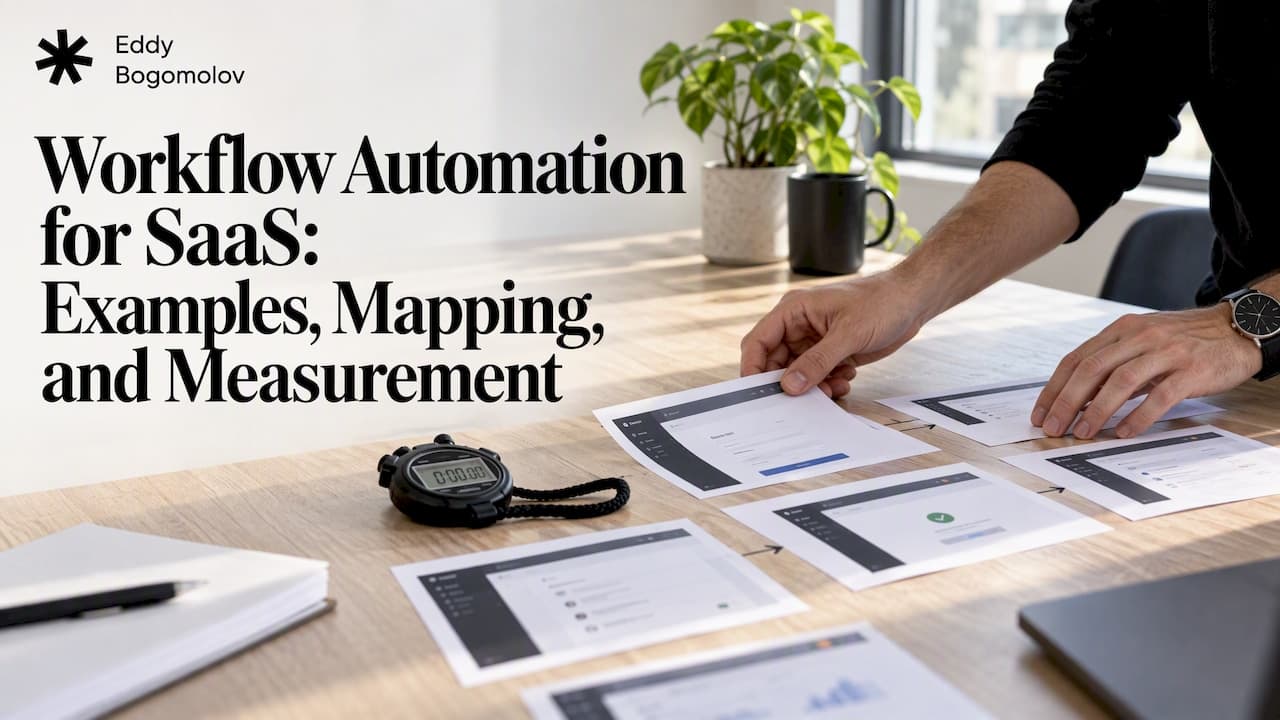
Data tells you where people leave. It rarely tells you why. Before drawing the map, go through the trial yourself with a stopwatch and a screenshot of every step. Note where you hesitate, where a field is unclear, where an upgrade prompt appears before you have had any win, and where the price shows up. That is how we start every trial review, and the findings usually change which workflows are worth building.
The same logic applies well outside SaaS. Any long, form-heavy process becomes automatable once it is split into discovery, matching, and preparation stages, as automated grant and tender application tools show for public funding. The lesson carries over: define the stages first, then decide which ones a machine should run.

Journey analytics: finding where trial users get stuck
The other half of mapping is evidence. Mixpanel's continuous-innovation guide describes a toolkit that fits trial analysis well:
- Funnels and flows to locate where users stall.
- Cohorts to compare personas.
- Session replay to see confusion directly.
- Alerts to catch sudden changes in completion.
- Experiments and feature flags to validate a fix before full rollout.
For a B2B trial, one capability matters more than the rest: grouping behavior by company. Mixpanel's group analytics documentation explains that you can analyze company engagement, usage, and retention, and answer questions such as how many trial accounts have users performing a specified action. A trial is usually an account, with several people in it. If your analytics only sees individuals, a workflow that says "nobody invited a teammate" will be wrong half the time.
When you evaluate journey analytics software, the checklist is short:
- Can it group events by account as well as by user?
- Can you build a funnel from sign-up to your activation event and then to payment?
- Can you jump from a drop-off number to a replay of real sessions?
- Can you test a change against a control group?
Data, integrations, and maintenance
Most failed automation is a data problem in disguise. The workflow fires on an event that was never tracked cleanly, or fires twice, or fires for the wrong person.
Mixpanel's onboarding framework gives a sensible order: define your KPIs first, create an event-tracking plan, implement the events, then QA and audit the data. It then adds data governance and training the team before launch. Write the plan before the workflow, not after.
Identity is where many plans break. Segment's partner FAQ states that known users need customer-supplied user IDs, while anonymous users get an anonymous ID from client libraries. With server-side implementations, you must supply the relevant identifiers and context yourself. For a trial, that means deciding how a pre-sign-up visitor is stitched to the account they create, because your first workflow trigger depends on it.
If you plan to feed a new tool with history, the same FAQ says replaying historical data requires the destination to respect event timestamps, tolerate the ordering behavior, and offer reasonably high rate limits. Check that before promising anyone a backfill. Segment's own materials describe the broader job: collecting, cleaning, unifying, and activating customer data, enforcing schemas, and sending events to many tools. Schema enforcement is the part that keeps a renamed event from silently breaking a live workflow.
A maintenance routine keeps it healthy:
- Give every workflow an owner and a written goal.
- Review the list of live workflows every quarter and retire the ones nobody can justify.
- Re-audit tracking whenever the product ships a change to setup or onboarding.
- Keep message frequency in check, so overlapping workflows do not hit one person three times in a day.
How to measure whether a workflow worked
The weakest way to judge an automated flow is by clicks on its emails. Courier recommends measuring journey completion, step-level drop-off, and differences between converted and non-converted paths, and testing through experiments rather than trusting message clicks alone.
The stronger approach ties the workflow to activation and then to revenue. Amplitude's write-up of Appfire's activation work is a useful reference. Appfire analyzed data from 10,000 accounts across six high-volume apps. Customers who activated within 30 days were three times more likely to convert to paid, and a 10% improvement in activation corresponded to a 2.5 to 3% improvement in paid conversion. That result is Appfire's, from its own products, so treat it as a model for how to measure rather than a benchmark for your numbers.
The second lesson is about assumptions. In Amplitude's Ironclad case study, trial behavior disproved the team's original idea of what activation was. Redefining activation around observed behavior increased activation by 14%. If your workflows nudge people toward an action that does not predict payment, you are automating the wrong thing.
A practical measurement plan:
- Define activation from data. Compare converted and non-converted trials and find the early action that separates them.
- Set the baseline. Record activation rate, time to activation, and trial-to-paid for the last several cohorts.
- Launch one workflow at a time with a holdout group that does not receive it.
- Read step-level results. Did more users reach the next milestone, and faster?
- Check revenue, not only activation. A higher activation rate that does not move paid conversion points to the wrong definition.
- Roll out through feature flags once a change holds up.
That sequence follows Mixpanel's loop of observe, analyze, decide, and act, combining behavioral analytics with replay and experimentation.
Where we help
Most teams that ask about workflow automation actually have a trial that loses people before the first result. We go through your trial as a buyer, map where people drop between sign-up and payment, and recommend what to fix first, with each change tied to documented user behavior. If the best fix is an automated flow or an AI agent, we prototype it before your team commits engineering time. See our AI agents and workflows service, or start with the full list of services.
Our perspective
We have seen the same pattern across SaaS, fintech, gaming, and insurance products: teams reach for automation because it is measurable and shippable, then discover the real leak was upstream. A setup flow that asks for too much before any result, an upgrade prompt that lands before the first win, or a checkout total that appears late will beat any reminder sequence.

At Supliful, the work that mattered was rebuilding the setup flow so new creators could get from sign-up to a launched brand. The company reached $1.1M monthly GMV. The lesson was not about messaging. It was that removing steps before value beat adding messages around them. You can read the Supliful case for the detail.
So our order of operations is fixed. First, observe the trial as a user would. Second, shorten the path to the first result. Third, automate what is left, with exit conditions and a holdout group. Automation is a multiplier, and it multiplies a good path as faithfully as a bad one.
— Edijs
FAQ
What is workflow automation in SaaS?
It is software that runs repeatable steps automatically when a trigger occurs, such as a trial starting or a payment failing. Steps can send messages, update records, create tasks, wait, or branch on conditions, as HubSpot and Stripe both describe. In a product-led company, the highest-value workflows sit between sign-up and first payment.
What are good examples of workflow automation for a free trial?
Common ones are a welcome message at sign-up, a reminder when a user has not logged in, tips that push a feature toward activation, a teammate invitation prompt, routing by engagement, a last-day conversion message, and cancelling the run when the user pays. Each needs a clear trigger and an exit condition.
How do I map a SaaS workflow from sign-up to paid?
Pick a goal and persona, list the touchpoints, pull conversion and engagement data, interview customers, and plot the friction. Using sign-up, setup, aha, and habit as milestones gives you a simple spine. Then walk the trial yourself, because numbers show where people leave and a walkthrough shows why.
How do I know if an automated workflow improved conversion?
Compare a group that receives the workflow against a holdout group, and track activation, step-level drop-off, and trial-to-paid, not only clicks. If activation rises but paid conversion does not, your definition of activation probably does not match real buyer behavior.
Sources
- Quick Guide: Automate Marketing, Sales, and Service with Workflows (HubSpot)
- Workflows (Stripe Documentation)
- SaaS Workflow Automation: Tools, Use Cases, and Benefits (Appseconnect)
- Customer journey patterns and best practices (Courier)
- SaaS Customer Journey Mapping (Twilio)
- How I Amplitude with Claudia Canamas-Donnelly (Amplitude)
- Mixpanel and the Continuous Innovation Loop (Mixpanel)
- Group Analytics (Mixpanel)
- Onboarding framework (Mixpanel)
- Segment partner FAQs
- Segment University
- How Appfire developed and evangelized a common activation framework (Amplitude)
- Decoding user behaviors to create customer-centric features (Amplitude)